
Remote and hybrid work have become permanent fixtures for modern businesses. Employees now access company systems from home offices, client sites, airports, and shared workspaces—often using laptops and mobile devices that may never return to the office.
This flexibility boosts productivity, but it also introduces new security risks. Devices get lost, stolen, or compromised, and traditional perimeter-based security models no longer apply.
A strong device tracking and wipe strategy helps organizations maintain control over data wherever work happens. Below are five practical steps your business can take to secure your remote workforce without adding unnecessary complexity.
Step 1: Know Where Your Devices Are
The foundation of any remote workforce security strategy is device visibility. Organizations should maintain an up-to-date inventory of all laptops, desktops, tablets, and mobile devices that access company data—whether company-owned or part of a bring-your-own-device (BYOD) program.
Effective device tracking helps organizations:
- Identify which devices have access to sensitive systems
- Detect missing or inactive devices quickly
- Respond quickly when a device is lost or stolen
Tracking does not mean constant surveillance of employees. It means knowing which devices exist, who uses them, and whether they are still under your control.
Step 2: Define Clear Device Security Policies
Technology alone won’t secure a remote workforce. Clear policies are just as important.
Organizations should document:
- Which devices are approved for work use–Acceptable Use Policy
- What data can be stored locally
- How lost or stolen devices must be reported–Remote Wipe Waiver
- When remote lock or wipe actions may occur
Well-defined policies reduce confusion during incidents and help employees understand expectations before something goes wrong.
Step 3: Encrypt Data and Control Access
Lost devices become dangerous when data remains readable.
Full-disk encryption ensures that data stored on a device is unreadable without proper credentials. Combined with strong authentication and access controls, encryption significantly reduces the likelihood that a lost device turns into a data breach.
However, encryption alone is not enough. If credentials are compromised or access persists longer than necessary, organizations still need a way to revoke access remotely.
Step 4: Implement Remote Wipe Capabilities
Remote wipe provides a critical response option when devices leave your control.
When a laptop or phone is lost, stolen, or no longer authorized, administrators can remotely remove company data as soon as the device connects to the internet. Depending on the situation, this may involve:
- A full device wipe
- A selective wipe that removes only business data
- A temporary lock prior to erasure
Many organizations implement remote wipe through endpoint security or device management platforms. For example, tools like DriveStrike allow administrators to initiate wipe actions from a centralized console across laptops, desktops, and mobile devices.
The goal is not frequent wiping—it’s having a reliable way to act quickly when a device becomes a risk.
Step 5: Align With Industry Standards and Regulations
Organizations should design device tracking and wipe strategies to support industry compliance requirements.
ISO (ISO/IEC 27001)
ISO 27001 emphasizes managing information assets throughout their lifecycle, including access removal and secure disposal. Device tracking and remote wipe help enforce these controls when devices are lost or retired.
GDPR
GDPR requires organizations to protect personal data and minimize exposure after loss or theft. Remote wipe helps reduce the likelihood that a lost device results in a reportable breach.
HIPAA
For organizations handling electronic protected health information (ePHI), the HIPAA Security Rule requires reasonable safeguards. Remote wipe supports access control and device and media control requirements when devices containing ePHI are lost or stolen.
Across these frameworks, the message is consistent: organizations are expected to maintain control over data even when devices leave physical custody.
Putting It All Together
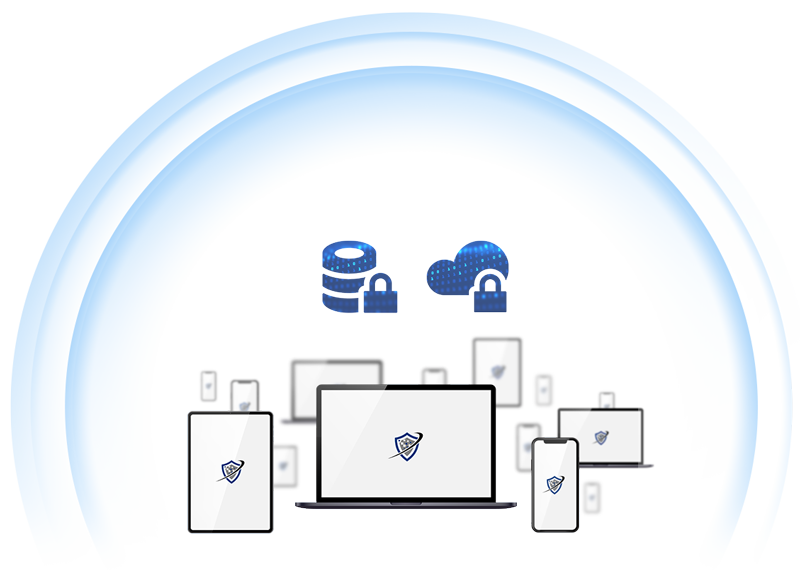
Securing a remote workforce does not require enterprise-scale complexity. It requires a clear, layered approach:
- Track devices that access company data
- Establish and communicate security policies
- Encrypt data and limit access
- Enable remote wipe for fast response
- Align controls with regulatory expectations
When these steps work together, organizations can reduce the impact of lost devices, shorten response times, and protect sensitive data—without slowing down remote teams.
Final Thoughts
Remote work is here to stay. Device loss is inevitable. Data exposure doesn’t have to be.
By combining device tracking with remote wipe capabilities, businesses can shift from reactive damage control to proactive risk management. In a world where work happens everywhere, retaining control over data—no matter where devices go—is now a core security requirement.